How a Maintenance Work Order Works from Request to Completion
Maintenance Work Orders Explained for Owners and Residents

Maintenance is one of the most important services we deliver.
This article explains what happens from the moment a resident submits a work order to the moment the job is completed and closed. It also outlines what owners should expect, typical timelines, and where the AppFolio Resident Portal and Owner Portal fit in.
When to submit a work order
Residents should submit a work order when something in the home is broken, unsafe, or not functioning as designed. Examples include leaking faucets, appliances not working, heating or cooling issues, and safety hazards. For emergencies call 911 first, then follow emergency instructions in your Resident Portal.
How to submit
Residents should submit all maintenance requests through the Resident Portal in AppFolio. This is the fastest method and ensures the maintenance team receives every detail needed to begin triage.
- Use the Resident Portal to submit the request
- Include photos or video when possible
- Provide access instructions, preferred contact method, and any pet or alarm details
- For after-hours non emergency requests, submit through the portal and mark as urgent if the issue is time sensitive
The portal now includes a new AI-powered assistant that helps residents answer guided questions before submitting the request. This helps clarify the issue, suggests simple checks that may resolve the problem, and improves the accuracy of each work order.
Step by step process
Request received
- The work order enters our system with your description, attachments, and contact information
- Our maintenance team screens for emergency, urgent, or standard priority
- You receive an automated confirmation in the Resident Portal
Triage and troubleshooting
- We may reach out for more details or simple checks that can solve the issue quickly
- If it requires a vendor, we assign the right licensed professional based on trade and location
Owner approval when required
- For repairs above the owner’s approval threshold or items that affect property value, we notify the owner with scope and estimate
- Owners can approve directly through the Owner Portal or by email reply
- Life safety or habitability issues are prioritized and may proceed per management agreement to protect residents and the property
Vendor scheduling
- The vendor contacts the resident to schedule
- Residents should respond promptly to avoid delays
- Access can be arranged with resident present or via lockbox or management if permitted
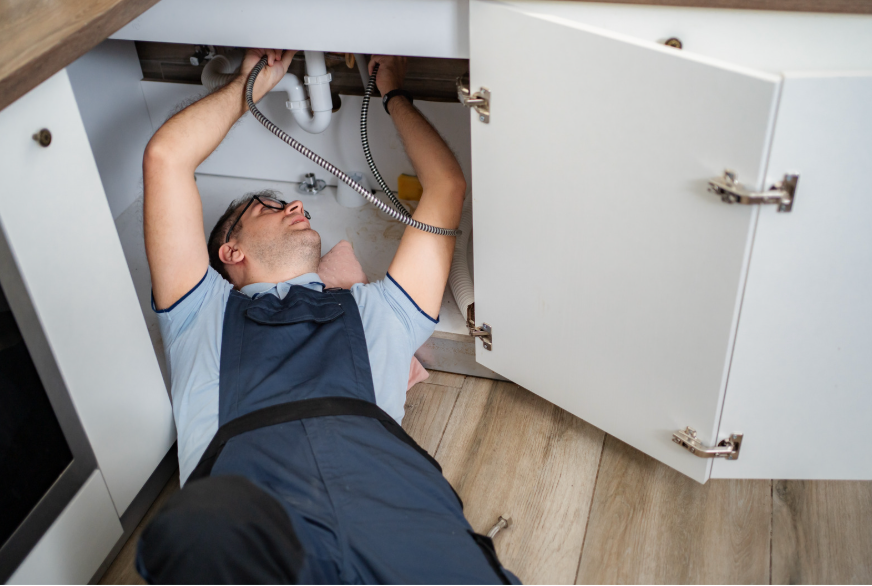
Repair visit
- Vendor diagnoses and completes the repair
- If parts are required or a second visit is needed, we update the work order with the new timeline
- Photos and notes are added to the file for owner record keeping
Quality check and follow up
- Our team reviews vendor notes and costs against the approved scope
- If additional authorization is needed, we contact the owner
- Residents receive a status update in the portal
Completion and closing the work order
- When the job is complete, the work order is closed in AppFolio
- Owners see invoices and documentation in the Owner Portal
- Residents are encouraged to rate the experience and confirm the issue is resolved
Typical timelines
- Emergency issues are addressed immediately
- Urgent issues are usually scheduled within 24 to 48 hours
- Standard issues are typically scheduled within 3 to 5 business days depending on vendor availability and parts
What residents can expect
- Clear confirmation and updates in the Resident Portal
- Licensed vendors and documented work
- Respect for your time and space
- Transparent next steps if parts or follow up visits are required
What owners can expect
- Notification for repairs above the approval limit
- Accurate scope, estimate, and photos when available
- Invoices and documentation in the Owner Portal
- Cost control and code compliance aligned with the Maple Leaf Way
Preventing delays
- Respond quickly to vendor calls or texts
- Provide clear photos or videos with your request
- Confirm access instructions and parking details
- Keep pets secured during appointments
- For owners, keep an updated approval limit on file and preferred contact method
What is resident responsibility vs owner responsibility
- Residents handle minor consumables such as light bulbs, air filters where specified, and testing smoke detectors
- Owners handle repair or replacement of property systems and appliances due to normal wear and tear
- We follow the lease agreement and local housing laws if there is a question
How AppFolio helps
- The Resident Portal and Owner Portal provide status, documents, and messaging in one place
- Automated notifications reduce back and forth
- Centralized records help us track response times and vendor performance
Clear calls to action
- Residents submit a maintenance request in the Resident Portal
- Owners log in to the Owner Portal to review approvals and invoices
- Questions Contact our maintenance team and we will help you right away
For more information click on our Appfolio link sources:
https://www.appfolio.com/help/online-portal
https://www.appfolio.com/help/owner